" transform="translate(5 2)" width="10px"/></svg>)

•
5 min read
Wispr Flow Review: Alternatives Worth Considering (August 2026)

•
5 min read
Wispr Flow Review: Alternatives Worth Considering (August 2026)
You activate Wispr Flow, speak your message, and wait. Then you fix the transcription. Then you fix the formatting. For developers prompting Cursor, product managers filing sprint updates, or clinicians capturing patient notes across a mixed-device fleet of Windows workstations, Macs, and iPhones, that correction loop creates a compounding coordination failure at the team level. This post covers what Wispr Flow delivers, where single-user tools create friction for enterprise IT, and what to look for in voice dictation when team-wide adoption, compliance, and connectivity constraints are real organizational requirements.
TLDR:
Wispr Flow consumes ~800MB of RAM at idle and takes 8-10 seconds to start, creating hardware constraints for distributed teams.
All voice processing routes through third-party cloud providers, raising data residency questions for organizations handling regulated information.
System integration issues and the lack of centralized admin controls complicate org-wide rollout and IT deployment.
A cloud-only architecture means there is no offline functionality for traveling professionals or in secure environments.
Tools with ~200ms latency, 98%+ accuracy, shared custom dictionaries, and SOC 2 Type II compliance offer a structural fit for mixed-device enterprise fleets.
Wispr Flow vs. Alternatives: At a Glance
Feature Comparison Matrix
Feature | Wispr Flow | Willow Voice | Dragon | superwhisper |
|---|---|---|---|---|
Device Support | Mac, iOS (Windows in limited rollout) | Mac, Windows, iOS | Windows only | Mac, Windows, iOS |
Processing Type | Cloud | Hybrid (Cloud/Local) | Local | Local |
Accuracy Rate | 95%+ | 98%+ | High (varies) | Good |
Offline Mode | No | Yes (Mac/iOS) | Yes | Yes |
RAM Usage | ~800MB | <50MB | High | Medium |
Pricing (Aug 2026) | Free (2,000 words/week), Pro $15/month | Pro $12/mo; Free unlimited; other plans available | $699 one-time | $8.49/mo |
Privacy Focus | Low (cloud-only) | High (optional local processing, zero data retention) | High (local processing) | High (local processing) |
This comparison is current as of August 2026. Note that while our standard comparison reflects Wispr Flow's Pro plan at $15 per month and a capped free tier, their own recent materials also introduce a Business tier at $30 per seat for teams. For a detailed overview, see our guide to the best AI dictation tools available this year. For broader context on how these accuracy figures compare to the industry, see AssemblyAI's 2026 speech-to-text benchmark.
Tool | Accuracy | Latency | Device Support | Compliance | Offline Mode | Best For |
|---|---|---|---|---|---|---|
Wispr Flow | 95%+ | ~700ms | Mac, iOS (Windows in limited rollout) | SOC 2 Type II, ISO 27001, HIPAA (BAA on select plans) | No | Cross-app general dictation |
Willow Voice | 98%+ | ~200ms | Mac, Windows, iOS | SOC 2 Type II, HIPAA, zero data retention | Optional (Mac, iOS) | Teams, enterprise, context-aware workflows |
Dragon | High with training | 300ms to 800ms | Windows only | Enterprise options available | Yes | Specialized vocabulary, enterprise |
superwhisper | General vocabulary | 1-2 seconds | Mac, Windows, iOS | SOC 2 Type II, HIPAA | Yes (local-only) | Privacy-focused individual developers |
What Is Wispr Flow and How Does it Work?
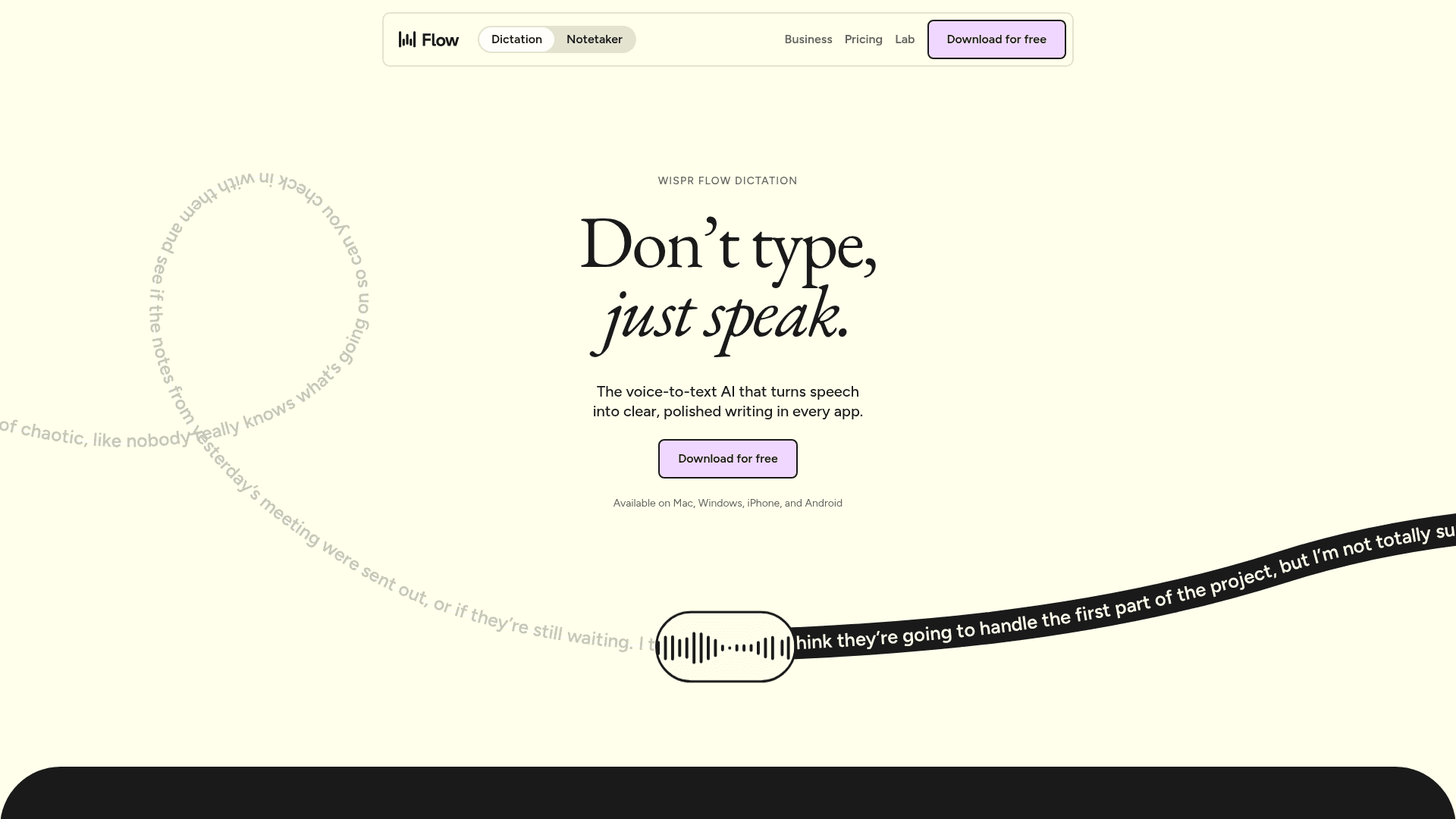
Wispr Flow is an AI voice dictation app for Mac, Windows, iOS, and Android that converts your speech into text across applications. You activate it with a keyboard shortcut, speak naturally, and it transcribes your words while cleaning up filler words and formatting the output in real-time.
A support agent in Zendesk speaks: "So, um, we're really sorry about the delay, uh, looks like a warehouse issue but we're shipping it today." Output: "We apologize for the delay. There was a warehouse issue, but we're shipping it out today."
A developer on a GitHub PR: "Uh, I refactored the auth module to use JWT tokens instead of session cookies because it's more scalable." Output: "I refactored the authentication module to use JWT tokens instead of session cookies because it's more scalable."
The tool works by processing your speech through cloud-based AI models that handle transcription and text formatting. Unlike the basic speech-to-text built into your operating system, Wispr Flow is designed to work universally across applications such as Slack, Gmail, Google Docs, and code editors.
Here's how the process works: you press a hotkey to activate the tool, speak your message or content, and Wispr Flow processes your speech through multiple AI layers. The first layer handles transcription, while other processing steps clean up your speech patterns, remove filler words like "um" and "uh," and format the text appropriately for the context.
The service targets anyone with heavy writing demands: support agents drafting replies, developers crafting prompts in Cursor or Claude Code, product managers writing sprint updates in Notion or Linear, and executives working through high volumes of email and Slack. It's particularly useful for voice-to-text in Google Docs and other document workflows where speed matters.
Real-Time Speech Processing
Wispr Flow automatically removes filler words like "um" and "uh" while adding proper punctuation and capitalization. You don't need to speak punctuation marks (the AI handles formatting as you speak naturally).
Multi-Language Support
The tool supports over 100 languages and lets you switch between them without adjusting settings. Users report good accuracy across many different accents and dialects.
Custom Dictionaries and Snippets
You can create personal dictionaries for company names, technical terms, or industry jargon that need consistent spelling. The snippet feature lets you set up voice shortcuts for frequently used phrases or templates.
Cross-Device Compatibility
While Wispr Flow's own marketing material claims support across Mac, Windows, iOS, and Android, its Windows support is often characterized as being in a beta or limited rollout phase. This aims to give teams a single tool across their stack, but the lack of shared dictionaries and cross-device vocabulary sync means configurations don't automatically propagate from desktop to mobile, complicating org-wide rollout for mixed-device workforces.
August 2026 Update: Expanding Use Cases and Scaling Challenges
As of mid-2026, Wispr Flow has expanded its feature set beyond basic dictation. Following their Series B announcement in August 2026, the company introduced Wispr Flow Notetaker, moving into the competitive meeting transcription space with live transcripts and calendar-integrated speaker identification. However, this rapid growth has included some friction. Throughout the summer of 2026, users experienced intermittent outages and transcription latency tied to infrastructure scaling, prompting the company to rebuild its failover redundancy. While these updates show momentum, they also expose the growing pains of a cloud-only architecture serving an expanding user base.
Wispr Flow Key Limitations and Gaps
While Wispr Flow offers compelling voice dictation features for individual users, several structural limitations complicate org-wide rollouts and create friction for enterprise IT departments managing distributed teams.
Performance and Hardware Constraints
Wispr Flow consumes substantial system resources, with users reporting about 800 MB of RAM usage even during idle periods. In comparison, enterprise-optimized alternatives like Willow Voice use < 50 MB. For organizations deploying to a mixed hardware fleet of Windows workstations and Mac laptops, this can create noticeable performance strain, particularly on older machines or for employees running heavy concurrent applications such as local IDEs or multiple browser profiles.
The tool also suffers from slow startup times, taking 8-10 seconds to initialize. User reviews on Trustpilot give Wispr Flow a 2.7/5 rating, with reliability degrading after the trial period being a recurring complaint. ProductHunt users rate it 4.7/5 but frequently mention the same performance concerns on Windows systems. For enterprise users who need quick dictation bursts between context switches, these delays disrupt natural workflow patterns and erode the productivity gains the tool promises.
Privacy and Security Concerns
All voice processing happens in the cloud through servers from companies like OpenAI and Meta. Your voice data leaves your device for transcription. Wispr Flow now holds SOC 2 Type II, ISO 27001, and HIPAA certifications, so formal compliance is covered, but the reliance on third-party AI providers for processing can still raise questions for organizations with strict data residency or on-device privacy requirements, a topic covered in depth in our privacy and data security guide. Willow Voice is purpose-built for compliance-driven teams with enterprise-grade security and a zero-data-retention architecture, not added as an afterthought. It includes medical vocabulary optimization built into the core product and clear BAA guarantees for healthcare organizations.
Wispr Flow requires deep system access permissions to work across applications. While necessary for universal functionality, this level of access raises security concerns, especially in corporate environments where IT departments limit third-party system integrations.
System Integration Challenges for IT
For IT departments managing fleet deployments, Wispr Flow presents administrative hurdles. Users frequently report unauthorized system intrusion behaviors, including the app automatically adding itself to startup processes without clear user consent. Some experience difficulty completely uninstalling the software, with background processes persisting after removal attempts.
While recent Wispr Flow documentation points to a new admin portal, centralized billing, and MDM deployment options for their Business tier, historically there have been no publicly documented enterprise admin controls or team-level usage visibility. Even with these new additions, the lack of shared dictionaries means IT teams cannot standardize vocabulary across the organization. The tool's Windows setup also has particular quirks that create installation challenges for non-technical users, often leading to increased IT support tickets.
Connectivity Dependencies
Cloud-only processing means Wispr Flow cannot function without internet connectivity. This limitation makes it impractical for users who need dictation features while traveling or in environments with unreliable internet access.
Quick Pros and Cons Summary
Pros:
Universal app integration across Mac, Windows, and iOS
100+ language support
AI formatting removes filler words automatically
Custom dictionaries for technical terms and jargon
Cons:
Cloud-only processing, no offline mode
High RAM usage (~800MB) and slow startup (8-10 seconds)
Intrusive system integration and installation issues
These limitations make checking out Wispr Flow alternatives worthwhile for users who focus on performance, privacy, or offline functionality.
Best Wispr Flow Alternatives
Several voice dictation tools compete with Wispr Flow, each offering distinct strengths suited to different user needs and workflows.
Willow Voice
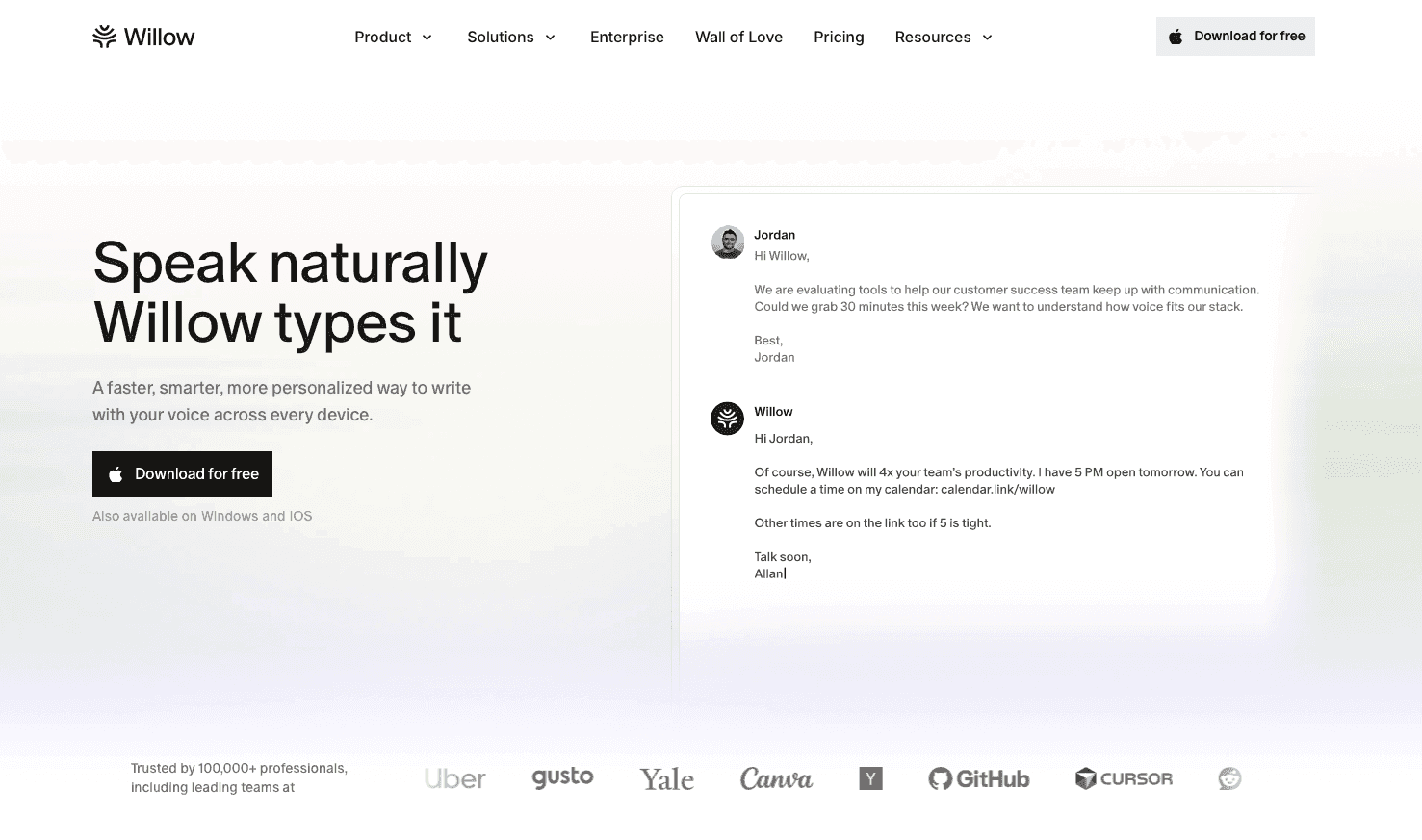
Willow Voice reads what you're working on and adapts accordingly: when you compose an email, it matches professional tone automatically; when you speak a PR description in Cursor or a sprint update in Linear, it holds the technical register the context demands, including class names and function references pulled from open files via codebase auto-tagging, without manual dictionary entry. Willow Voice's Auto-Dictionary learning engine remembers corrections and applies them to every subsequent session; shared custom dictionaries extend that vocabulary org-wide so new hires start with correct terminology from day one. The accuracy gap is practical: Wispr Flow reports 95%+ accuracy at ~700ms latency; Willow Voice reaches 98%+ accuracy (3x fewer errors than built-in tools) at ~200ms latency, and the correction loop shrinks to near-zero when the domain vocabulary holds above that threshold. Voice input runs at a speaking rate of 150 WPM compared to roughly 40 WPM for typing. For mixed-device teams running across Windows, Mac, and iOS, Willow Voice's vocabulary and settings carry over, so developers moving between a Windows workstation and a Mac or phone at home work from the exact same configuration without per-device setup.
Unlike Wispr Flow's cloud-only architecture, Willow Voice runs on a hybrid model: cloud processing for standard use, and an Offline Mode on Mac and iOS for environments with strict data residency constraints. For organizations rolling out voice dictation at scale, SOC 2 Type II and HIPAA compliance with zero data retention are built into all plan tiers, allowing deployments to align with existing enterprise security reviews. Admin controls let IT and team leads push shared custom dictionaries org-wide, standardizing codebase terms and client names from day one. Team leaderboards surface usage and time saved per member, granting leads visibility into adoption health without manual check-ins. A signed BAA is available at the Enterprise tier for regulated clinical workflows.
Dragon Professional
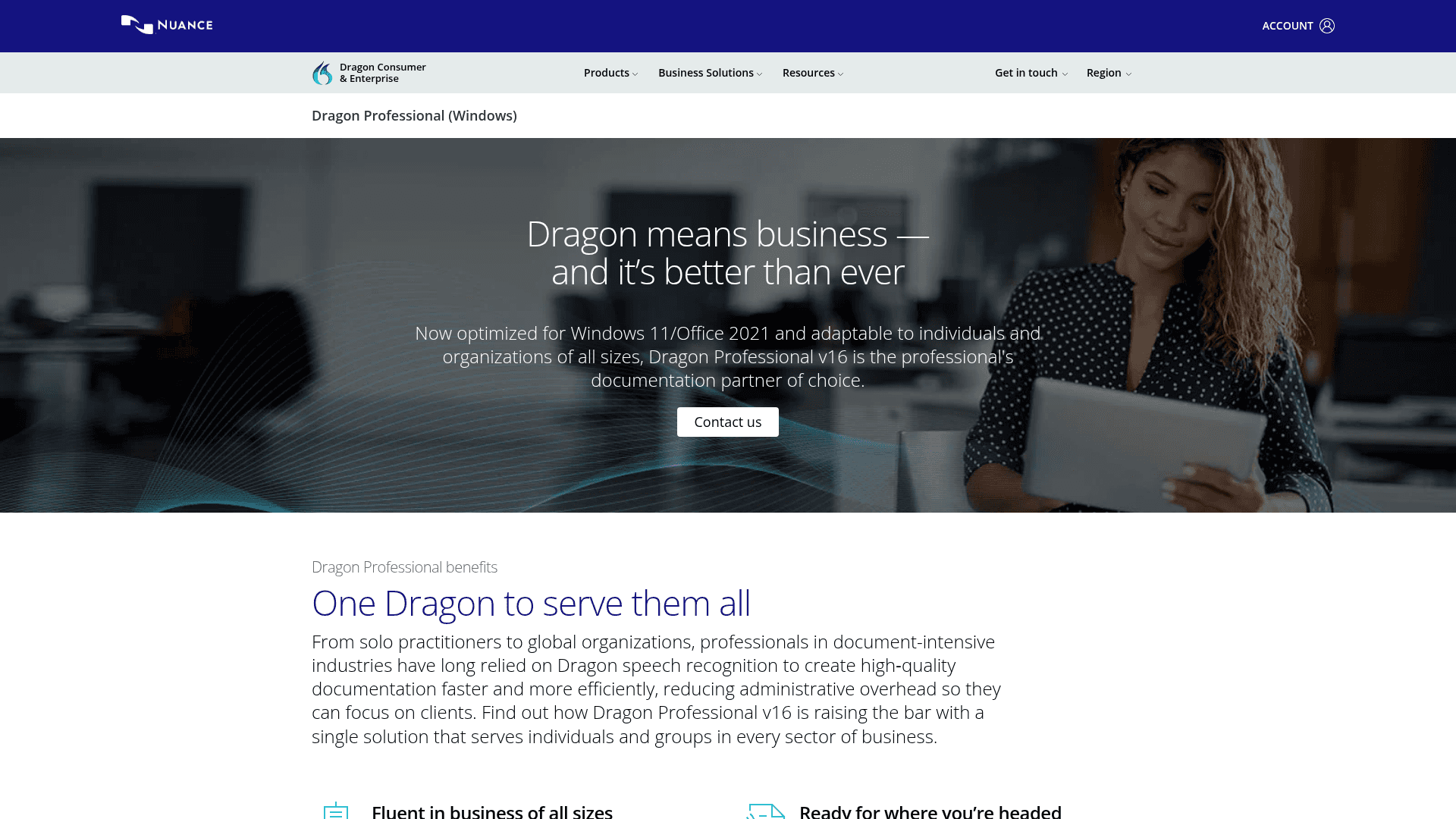
Dragon Professional is a strong enterprise option with offline processing and deep vocabulary training for specialized industries. It requires 20-30 minutes of setup, 1-2 weeks of corrections, and retraining when switching hardware, making it less suitable for users who need immediate results.
superwhisper
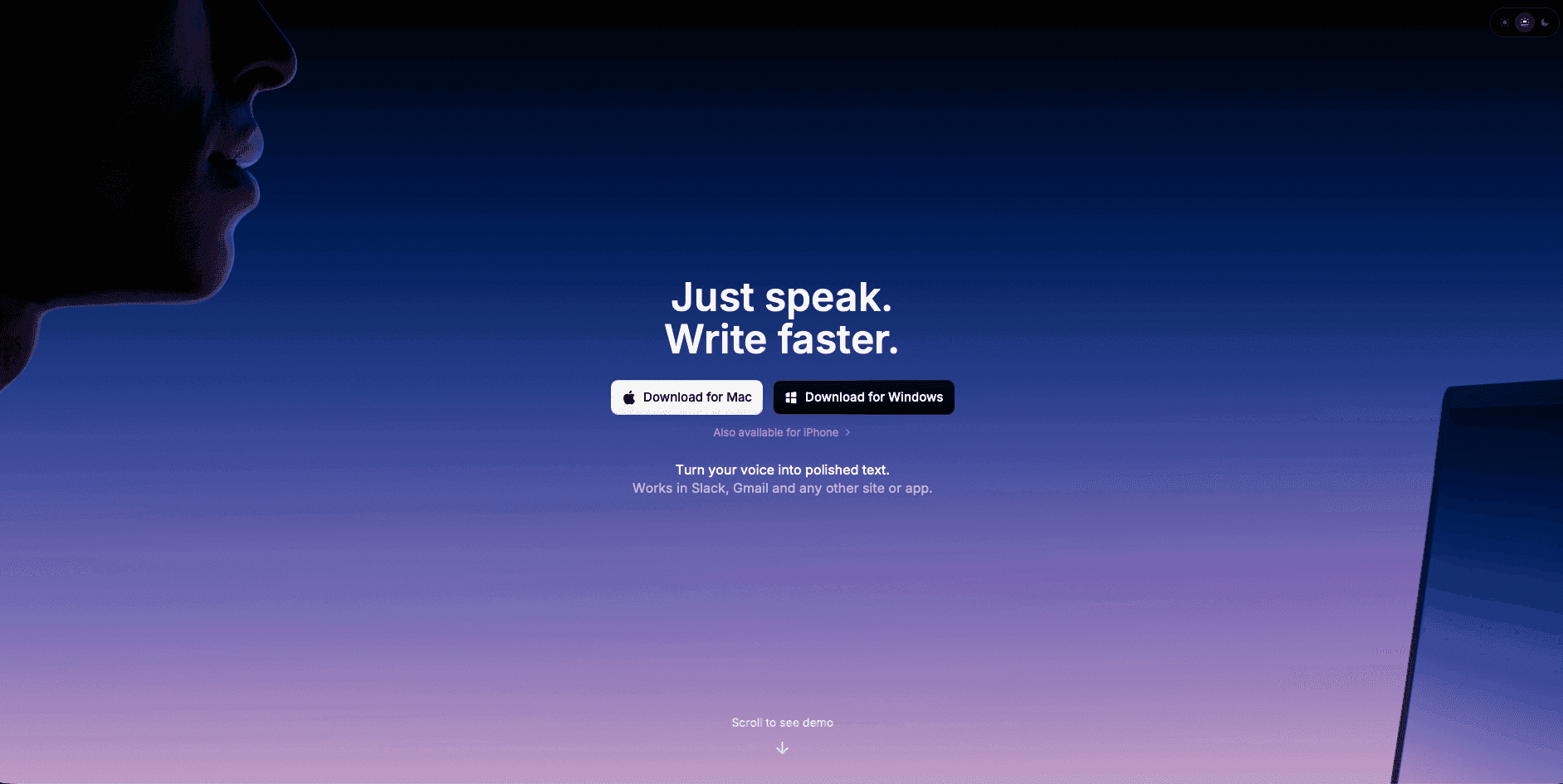
superwhisper supports Mac, Windows, and iOS, keeping all voice data on-device for privacy-focused users. It covers basic dictation well, though local processing speed varies by model and device hardware. The Ultra model on older hardware can reach 1-2 seconds per transcription, while Nano and Fast models process more quickly. Users looking into this option may also want to compare superwhisper alternatives.
For users seeking better speech-to-text tools or researching techniques to write faster, these alternatives offer different trade-offs worth considering.
Why Willow Voice Leads the Next Wave of Voice Dictation
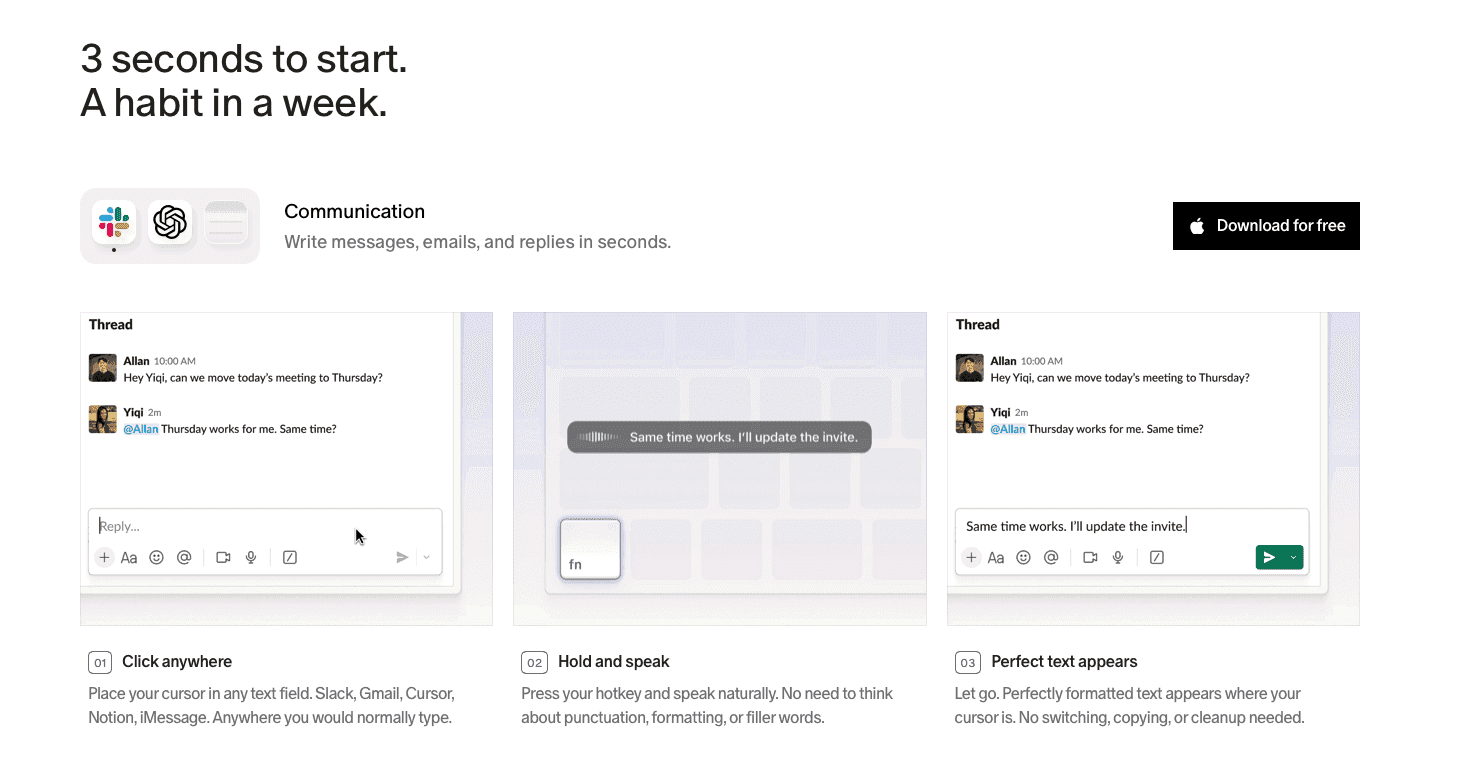
Wispr Flow covers basic voice dictation: universal app integration, AI formatting, filler-word removal. The limitations above make it a harder choice for security-conscious teams or low-connectivity environments.
Willow Voice is built for enterprise organizations, developer teams, and clinical practices where output quality and data security are mission-critical. The Pro plan ($12/month billed annually) delivers faster, more accurate dictation with 98%+ accuracy, ~200ms latency, and unlimited access to Willow Scribe. Other plans are available for varying organizational needs. For lighter workflows, Willow also offers a free plan that provides unlimited AI dictation with no word cap and no credit card required. For IT departments, Willow Voice operates as a fully deployable enterprise solution natively across Mac, Windows, and iOS, resolving mixed-device workforce deployment without requiring separate solutions for different hardware. Shared custom dictionaries deploy org-wide codebase terminology or clinical jargon from day one without per-user configuration. Admin controls let IT and team leads push vocabulary updates globally, while team leaderboards surface words logged and time saved per member without manual tracking. SOC 2 Type II and HIPAA compliance, paired with a zero-data-retention architecture, are built into all tiers, so deployments clear security review without a separate procurement cycle. A signed BAA is also available.
FAQs
What is the fastest alternative to Wispr Flow?
Willow Voice runs at ~200ms latency compared to Wispr Flow's ~700ms. This structural architectural difference means Willow processes and returns text in under 200ms system-wide on Mac, Windows, and iOS, effectively eliminating the correction loop before your next thought lands.
What is the best dictation app like Wispr Flow for teams?
For organizations seeking the best enterprise voice AI dictation, Willow Voice is the strongest alternative. While Wispr Flow recently introduced an admin portal, it lacks shared custom dictionaries and cross-device vocabulary sync. Willow Voice provides full centralized administration, including shared dictionaries, admin controls, team leaderboards, and SOC 2 Type II compliance, so that codebase terms and client names are standardized organization-wide. Team plans start at $10 per user per month (billed annually).
Why is Wispr Flow so inaccurate?
Wispr Flow is a capable tool that handles general-purpose dictation well, but its ~700ms round-trip processing adds a correction loop that disrupts flow during complex technical or proper-noun-heavy dictation. If you need precise vocabulary handling, Willow Voice offers 98%+ accuracy with 3x fewer errors than built-in tools.
What is the best free alternative to Wispr Flow voice dictation app?
Willow Voice offers the best free alternative to Wispr Flow. For professionals testing the tool before an org-wide rollout, Willow Voice's free plan offers genuinely unlimited AI dictation with no word cap and no credit card required.
How much RAM does Wispr Flow use during operation?
Wispr Flow consumes around 800 MB of RAM even during idle periods, which can cause noticeable performance strain on older machines or on systems running multiple applications simultaneously.
Can I use Wispr Flow without an internet connection?
No, Wispr Flow requires an internet connection to function because all processing occurs in the cloud. This makes it impractical for users who need dictation features while traveling or in environments with unreliable internet access.
What's the startup time for Wispr Flow?
Wispr Flow takes 8-10 seconds to initialize, which can disrupt natural workflow patterns and reduce productivity benefits for users who need quick dictation bursts throughout their day.
Is Wispr Flow SOC 2 and HIPAA compliant?
Yes, Wispr Flow now holds SOC 2 Type II, ISO 27001, and HIPAA certifications. However, because it relies on third-party AI providers for processing, it may still raise questions for organizations with strict data residency requirements. In contrast, Willow Voice is purpose-built for compliance-driven teams with an Offline Mode, a zero-data-retention architecture, and clear BAA guarantees for regulated clinical workflows.
Does Wispr Flow work on Windows?
Wispr Flow supports Mac and iOS natively, with Windows support currently available in a limited rollout. If you need native feature parity across a mixed-device fleet, Willow Voice supports Mac, Windows, and iOS equally, allowing custom vocabulary and settings to sync across every device without per-user setup.
Final Thoughts on Voice Dictation Tools for Professional Teams
Voice dictation should close the gap between an idea and a document. Wispr Flow handles basic dictation, but enterprise teams and mixed-device fleets need infrastructure. Willow Voice is built for that reality. Paid tiers deliver 98%+ accuracy at ~200ms latency to eliminate the correction loop, plus unlimited access to Willow Scribe. Organizations get shared custom dictionaries, centralized admin controls, leaderboards, and native apps across Mac, Windows, and iOS. Built-in SOC 2 Type II and HIPAA compliance, with zero data retention and clear security reviews from day one. A free plan offers unlimited AI dictation for testing. Download Willow Voice and see how much time your team reclaims.
You activate Wispr Flow, speak your message, and wait. Then you fix the transcription. Then you fix the formatting. For developers prompting Cursor, product managers filing sprint updates, or clinicians capturing patient notes across a mixed-device fleet of Windows workstations, Macs, and iPhones, that correction loop creates a compounding coordination failure at the team level. This post covers what Wispr Flow delivers, where single-user tools create friction for enterprise IT, and what to look for in voice dictation when team-wide adoption, compliance, and connectivity constraints are real organizational requirements.
TLDR:
Wispr Flow consumes ~800MB of RAM at idle and takes 8-10 seconds to start, creating hardware constraints for distributed teams.
All voice processing routes through third-party cloud providers, raising data residency questions for organizations handling regulated information.
System integration issues and the lack of centralized admin controls complicate org-wide rollout and IT deployment.
A cloud-only architecture means there is no offline functionality for traveling professionals or in secure environments.
Tools with ~200ms latency, 98%+ accuracy, shared custom dictionaries, and SOC 2 Type II compliance offer a structural fit for mixed-device enterprise fleets.
Wispr Flow vs. Alternatives: At a Glance
Feature Comparison Matrix
Feature | Wispr Flow | Willow Voice | Dragon | superwhisper |
|---|---|---|---|---|
Device Support | Mac, iOS (Windows in limited rollout) | Mac, Windows, iOS | Windows only | Mac, Windows, iOS |
Processing Type | Cloud | Hybrid (Cloud/Local) | Local | Local |
Accuracy Rate | 95%+ | 98%+ | High (varies) | Good |
Offline Mode | No | Yes (Mac/iOS) | Yes | Yes |
RAM Usage | ~800MB | <50MB | High | Medium |
Pricing (Aug 2026) | Free (2,000 words/week), Pro $15/month | Pro $12/mo; Free unlimited; other plans available | $699 one-time | $8.49/mo |
Privacy Focus | Low (cloud-only) | High (optional local processing, zero data retention) | High (local processing) | High (local processing) |
This comparison is current as of August 2026. Note that while our standard comparison reflects Wispr Flow's Pro plan at $15 per month and a capped free tier, their own recent materials also introduce a Business tier at $30 per seat for teams. For a detailed overview, see our guide to the best AI dictation tools available this year. For broader context on how these accuracy figures compare to the industry, see AssemblyAI's 2026 speech-to-text benchmark.
Tool | Accuracy | Latency | Device Support | Compliance | Offline Mode | Best For |
|---|---|---|---|---|---|---|
Wispr Flow | 95%+ | ~700ms | Mac, iOS (Windows in limited rollout) | SOC 2 Type II, ISO 27001, HIPAA (BAA on select plans) | No | Cross-app general dictation |
Willow Voice | 98%+ | ~200ms | Mac, Windows, iOS | SOC 2 Type II, HIPAA, zero data retention | Optional (Mac, iOS) | Teams, enterprise, context-aware workflows |
Dragon | High with training | 300ms to 800ms | Windows only | Enterprise options available | Yes | Specialized vocabulary, enterprise |
superwhisper | General vocabulary | 1-2 seconds | Mac, Windows, iOS | SOC 2 Type II, HIPAA | Yes (local-only) | Privacy-focused individual developers |
What Is Wispr Flow and How Does it Work?
Wispr Flow is an AI voice dictation app for Mac, Windows, iOS, and Android that converts your speech into text across applications. You activate it with a keyboard shortcut, speak naturally, and it transcribes your words while cleaning up filler words and formatting the output in real-time.
A support agent in Zendesk speaks: "So, um, we're really sorry about the delay, uh, looks like a warehouse issue but we're shipping it today." Output: "We apologize for the delay. There was a warehouse issue, but we're shipping it out today."
A developer on a GitHub PR: "Uh, I refactored the auth module to use JWT tokens instead of session cookies because it's more scalable." Output: "I refactored the authentication module to use JWT tokens instead of session cookies because it's more scalable."
The tool works by processing your speech through cloud-based AI models that handle transcription and text formatting. Unlike the basic speech-to-text built into your operating system, Wispr Flow is designed to work universally across applications such as Slack, Gmail, Google Docs, and code editors.
Here's how the process works: you press a hotkey to activate the tool, speak your message or content, and Wispr Flow processes your speech through multiple AI layers. The first layer handles transcription, while other processing steps clean up your speech patterns, remove filler words like "um" and "uh," and format the text appropriately for the context.
The service targets anyone with heavy writing demands: support agents drafting replies, developers crafting prompts in Cursor or Claude Code, product managers writing sprint updates in Notion or Linear, and executives working through high volumes of email and Slack. It's particularly useful for voice-to-text in Google Docs and other document workflows where speed matters.
Real-Time Speech Processing
Wispr Flow automatically removes filler words like "um" and "uh" while adding proper punctuation and capitalization. You don't need to speak punctuation marks (the AI handles formatting as you speak naturally).
Multi-Language Support
The tool supports over 100 languages and lets you switch between them without adjusting settings. Users report good accuracy across many different accents and dialects.
Custom Dictionaries and Snippets
You can create personal dictionaries for company names, technical terms, or industry jargon that need consistent spelling. The snippet feature lets you set up voice shortcuts for frequently used phrases or templates.
Cross-Device Compatibility
While Wispr Flow's own marketing material claims support across Mac, Windows, iOS, and Android, its Windows support is often characterized as being in a beta or limited rollout phase. This aims to give teams a single tool across their stack, but the lack of shared dictionaries and cross-device vocabulary sync means configurations don't automatically propagate from desktop to mobile, complicating org-wide rollout for mixed-device workforces.
August 2026 Update: Expanding Use Cases and Scaling Challenges
As of mid-2026, Wispr Flow has expanded its feature set beyond basic dictation. Following their Series B announcement in August 2026, the company introduced Wispr Flow Notetaker, moving into the competitive meeting transcription space with live transcripts and calendar-integrated speaker identification. However, this rapid growth has included some friction. Throughout the summer of 2026, users experienced intermittent outages and transcription latency tied to infrastructure scaling, prompting the company to rebuild its failover redundancy. While these updates show momentum, they also expose the growing pains of a cloud-only architecture serving an expanding user base.
Wispr Flow Key Limitations and Gaps
While Wispr Flow offers compelling voice dictation features for individual users, several structural limitations complicate org-wide rollouts and create friction for enterprise IT departments managing distributed teams.
Performance and Hardware Constraints
Wispr Flow consumes substantial system resources, with users reporting about 800 MB of RAM usage even during idle periods. In comparison, enterprise-optimized alternatives like Willow Voice use < 50 MB. For organizations deploying to a mixed hardware fleet of Windows workstations and Mac laptops, this can create noticeable performance strain, particularly on older machines or for employees running heavy concurrent applications such as local IDEs or multiple browser profiles.
The tool also suffers from slow startup times, taking 8-10 seconds to initialize. User reviews on Trustpilot give Wispr Flow a 2.7/5 rating, with reliability degrading after the trial period being a recurring complaint. ProductHunt users rate it 4.7/5 but frequently mention the same performance concerns on Windows systems. For enterprise users who need quick dictation bursts between context switches, these delays disrupt natural workflow patterns and erode the productivity gains the tool promises.
Privacy and Security Concerns
All voice processing happens in the cloud through servers from companies like OpenAI and Meta. Your voice data leaves your device for transcription. Wispr Flow now holds SOC 2 Type II, ISO 27001, and HIPAA certifications, so formal compliance is covered, but the reliance on third-party AI providers for processing can still raise questions for organizations with strict data residency or on-device privacy requirements, a topic covered in depth in our privacy and data security guide. Willow Voice is purpose-built for compliance-driven teams with enterprise-grade security and a zero-data-retention architecture, not added as an afterthought. It includes medical vocabulary optimization built into the core product and clear BAA guarantees for healthcare organizations.
Wispr Flow requires deep system access permissions to work across applications. While necessary for universal functionality, this level of access raises security concerns, especially in corporate environments where IT departments limit third-party system integrations.
System Integration Challenges for IT
For IT departments managing fleet deployments, Wispr Flow presents administrative hurdles. Users frequently report unauthorized system intrusion behaviors, including the app automatically adding itself to startup processes without clear user consent. Some experience difficulty completely uninstalling the software, with background processes persisting after removal attempts.
While recent Wispr Flow documentation points to a new admin portal, centralized billing, and MDM deployment options for their Business tier, historically there have been no publicly documented enterprise admin controls or team-level usage visibility. Even with these new additions, the lack of shared dictionaries means IT teams cannot standardize vocabulary across the organization. The tool's Windows setup also has particular quirks that create installation challenges for non-technical users, often leading to increased IT support tickets.
Connectivity Dependencies
Cloud-only processing means Wispr Flow cannot function without internet connectivity. This limitation makes it impractical for users who need dictation features while traveling or in environments with unreliable internet access.
Quick Pros and Cons Summary
Pros:
Universal app integration across Mac, Windows, and iOS
100+ language support
AI formatting removes filler words automatically
Custom dictionaries for technical terms and jargon
Cons:
Cloud-only processing, no offline mode
High RAM usage (~800MB) and slow startup (8-10 seconds)
Intrusive system integration and installation issues
These limitations make checking out Wispr Flow alternatives worthwhile for users who focus on performance, privacy, or offline functionality.
Best Wispr Flow Alternatives
Several voice dictation tools compete with Wispr Flow, each offering distinct strengths suited to different user needs and workflows.
Willow Voice
Willow Voice reads what you're working on and adapts accordingly: when you compose an email, it matches professional tone automatically; when you speak a PR description in Cursor or a sprint update in Linear, it holds the technical register the context demands, including class names and function references pulled from open files via codebase auto-tagging, without manual dictionary entry. Willow Voice's Auto-Dictionary learning engine remembers corrections and applies them to every subsequent session; shared custom dictionaries extend that vocabulary org-wide so new hires start with correct terminology from day one. The accuracy gap is practical: Wispr Flow reports 95%+ accuracy at ~700ms latency; Willow Voice reaches 98%+ accuracy (3x fewer errors than built-in tools) at ~200ms latency, and the correction loop shrinks to near-zero when the domain vocabulary holds above that threshold. Voice input runs at a speaking rate of 150 WPM compared to roughly 40 WPM for typing. For mixed-device teams running across Windows, Mac, and iOS, Willow Voice's vocabulary and settings carry over, so developers moving between a Windows workstation and a Mac or phone at home work from the exact same configuration without per-device setup.
Unlike Wispr Flow's cloud-only architecture, Willow Voice runs on a hybrid model: cloud processing for standard use, and an Offline Mode on Mac and iOS for environments with strict data residency constraints. For organizations rolling out voice dictation at scale, SOC 2 Type II and HIPAA compliance with zero data retention are built into all plan tiers, allowing deployments to align with existing enterprise security reviews. Admin controls let IT and team leads push shared custom dictionaries org-wide, standardizing codebase terms and client names from day one. Team leaderboards surface usage and time saved per member, granting leads visibility into adoption health without manual check-ins. A signed BAA is available at the Enterprise tier for regulated clinical workflows.
Dragon Professional
Dragon Professional is a strong enterprise option with offline processing and deep vocabulary training for specialized industries. It requires 20-30 minutes of setup, 1-2 weeks of corrections, and retraining when switching hardware, making it less suitable for users who need immediate results.
superwhisper
superwhisper supports Mac, Windows, and iOS, keeping all voice data on-device for privacy-focused users. It covers basic dictation well, though local processing speed varies by model and device hardware. The Ultra model on older hardware can reach 1-2 seconds per transcription, while Nano and Fast models process more quickly. Users looking into this option may also want to compare superwhisper alternatives.
For users seeking better speech-to-text tools or researching techniques to write faster, these alternatives offer different trade-offs worth considering.
Why Willow Voice Leads the Next Wave of Voice Dictation
Wispr Flow covers basic voice dictation: universal app integration, AI formatting, filler-word removal. The limitations above make it a harder choice for security-conscious teams or low-connectivity environments.
Willow Voice is built for enterprise organizations, developer teams, and clinical practices where output quality and data security are mission-critical. The Pro plan ($12/month billed annually) delivers faster, more accurate dictation with 98%+ accuracy, ~200ms latency, and unlimited access to Willow Scribe. Other plans are available for varying organizational needs. For lighter workflows, Willow also offers a free plan that provides unlimited AI dictation with no word cap and no credit card required. For IT departments, Willow Voice operates as a fully deployable enterprise solution natively across Mac, Windows, and iOS, resolving mixed-device workforce deployment without requiring separate solutions for different hardware. Shared custom dictionaries deploy org-wide codebase terminology or clinical jargon from day one without per-user configuration. Admin controls let IT and team leads push vocabulary updates globally, while team leaderboards surface words logged and time saved per member without manual tracking. SOC 2 Type II and HIPAA compliance, paired with a zero-data-retention architecture, are built into all tiers, so deployments clear security review without a separate procurement cycle. A signed BAA is also available.
FAQs
What is the fastest alternative to Wispr Flow?
Willow Voice runs at ~200ms latency compared to Wispr Flow's ~700ms. This structural architectural difference means Willow processes and returns text in under 200ms system-wide on Mac, Windows, and iOS, effectively eliminating the correction loop before your next thought lands.
What is the best dictation app like Wispr Flow for teams?
For organizations seeking the best enterprise voice AI dictation, Willow Voice is the strongest alternative. While Wispr Flow recently introduced an admin portal, it lacks shared custom dictionaries and cross-device vocabulary sync. Willow Voice provides full centralized administration, including shared dictionaries, admin controls, team leaderboards, and SOC 2 Type II compliance, so that codebase terms and client names are standardized organization-wide. Team plans start at $10 per user per month (billed annually).
Why is Wispr Flow so inaccurate?
Wispr Flow is a capable tool that handles general-purpose dictation well, but its ~700ms round-trip processing adds a correction loop that disrupts flow during complex technical or proper-noun-heavy dictation. If you need precise vocabulary handling, Willow Voice offers 98%+ accuracy with 3x fewer errors than built-in tools.
What is the best free alternative to Wispr Flow voice dictation app?
Willow Voice offers the best free alternative to Wispr Flow. For professionals testing the tool before an org-wide rollout, Willow Voice's free plan offers genuinely unlimited AI dictation with no word cap and no credit card required.
How much RAM does Wispr Flow use during operation?
Wispr Flow consumes around 800 MB of RAM even during idle periods, which can cause noticeable performance strain on older machines or on systems running multiple applications simultaneously.
Can I use Wispr Flow without an internet connection?
No, Wispr Flow requires an internet connection to function because all processing occurs in the cloud. This makes it impractical for users who need dictation features while traveling or in environments with unreliable internet access.
What's the startup time for Wispr Flow?
Wispr Flow takes 8-10 seconds to initialize, which can disrupt natural workflow patterns and reduce productivity benefits for users who need quick dictation bursts throughout their day.
Is Wispr Flow SOC 2 and HIPAA compliant?
Yes, Wispr Flow now holds SOC 2 Type II, ISO 27001, and HIPAA certifications. However, because it relies on third-party AI providers for processing, it may still raise questions for organizations with strict data residency requirements. In contrast, Willow Voice is purpose-built for compliance-driven teams with an Offline Mode, a zero-data-retention architecture, and clear BAA guarantees for regulated clinical workflows.
Does Wispr Flow work on Windows?
Wispr Flow supports Mac and iOS natively, with Windows support currently available in a limited rollout. If you need native feature parity across a mixed-device fleet, Willow Voice supports Mac, Windows, and iOS equally, allowing custom vocabulary and settings to sync across every device without per-user setup.
Final Thoughts on Voice Dictation Tools for Professional Teams
Voice dictation should close the gap between an idea and a document. Wispr Flow handles basic dictation, but enterprise teams and mixed-device fleets need infrastructure. Willow Voice is built for that reality. Paid tiers deliver 98%+ accuracy at ~200ms latency to eliminate the correction loop, plus unlimited access to Willow Scribe. Organizations get shared custom dictionaries, centralized admin controls, leaderboards, and native apps across Mac, Windows, and iOS. Built-in SOC 2 Type II and HIPAA compliance, with zero data retention and clear security reviews from day one. A free plan offers unlimited AI dictation for testing. Download Willow Voice and see how much time your team reclaims.

Try Willow for free
Instant, accurate voice dictation. No card required.
Try Willow for free
Instant, accurate voice dictation. No card required.
Other stories you’ll love
Other stories you’ll love


Your keyboard is optional now
" transform="translate(5 5)" width="9.791000051498413px"/></svg>)

The voice-first interface for modern work.
© Willow Care, Inc. 2026. All rights reserved
Your keyboard is optional now
The voice-first interface for modern work.
© Willow Care, Inc. 2026. All rights reserved
Your keyboard is optional now
The voice-first interface for modern work.
© Willow Care, Inc. 2026. All rights reserved